
o create a more efficient process for Media Advisors, advertisers, and content teams, we have developed a standardized sponsorship submission system across all news sites.
This process gives advertisers and Media Advisors a single location to submit sponsored article requests, upload creative assets, provide article content, and request custom sponsorship elements. By collecting all necessary information through online forms, we can reduce back-and-forth emails, improve communication, and help ensure sponsored content is produced accurately and on time.
Four sponsorship pages have already been created and copied into your WordPress site. The forms have been built, and the pages are already linked together. Your role is simply to customize the pages for your market and update the form notification settings, so submissions are routed to the appropriate team members.
Once completed, copy the URL so your sales team and provide the portal to advertisers.
Step 1: Locate the Sponsorship Pages
- Log in to your WordPress Dashboard.
- Click Pages in the left navigation menu.
- In the search box, type Sponsor.
- You should see the following four pages:
- Sponsor Asset Submission Portal
- Sponsorship-Promoted Article Submissions
- Sponsorships-Custom Widget Submission
- Sponsorships-Sponsor Drafted Article Submission
Step 2: Update the Page Content
Each page contains placeholder content that needs to be customized for your website.
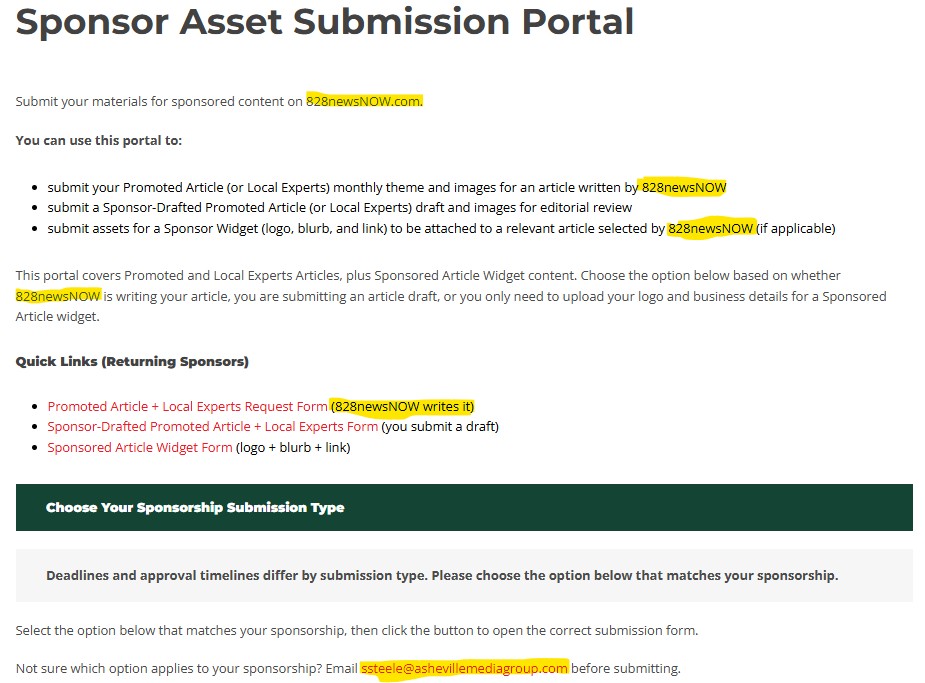
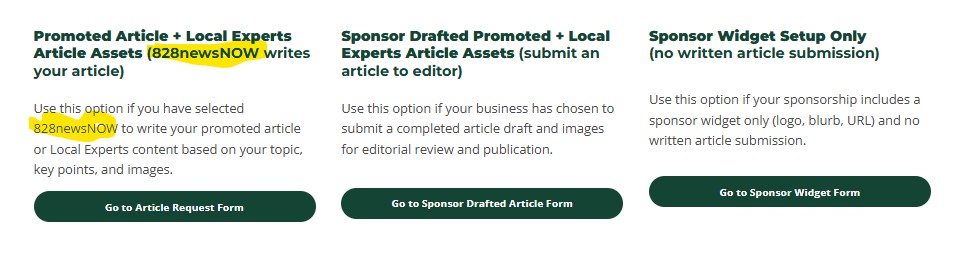
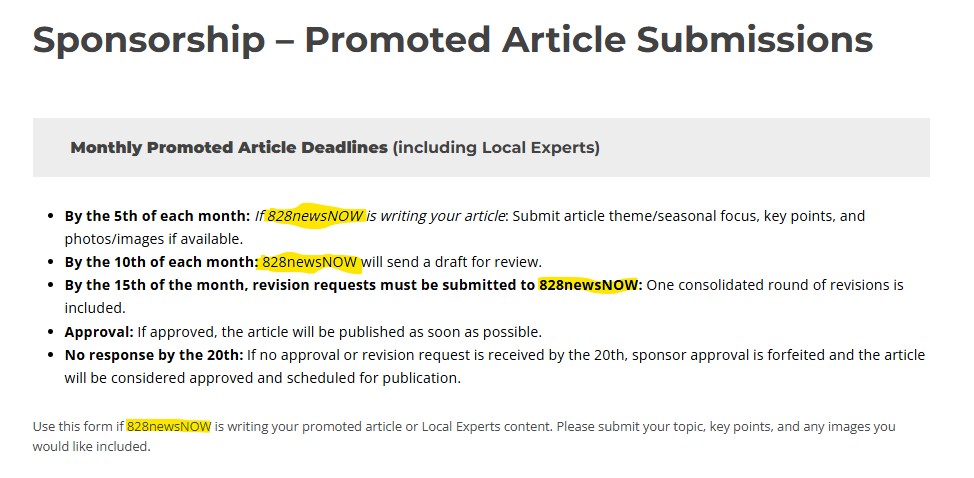
Review each page and update:
- Website name
- Market name
- Contact information
- Any references to another station or news site
- Instructions specific to your local workflow
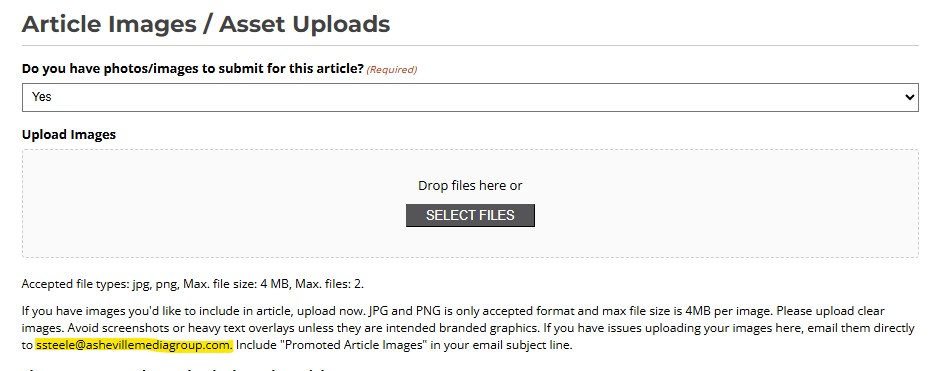
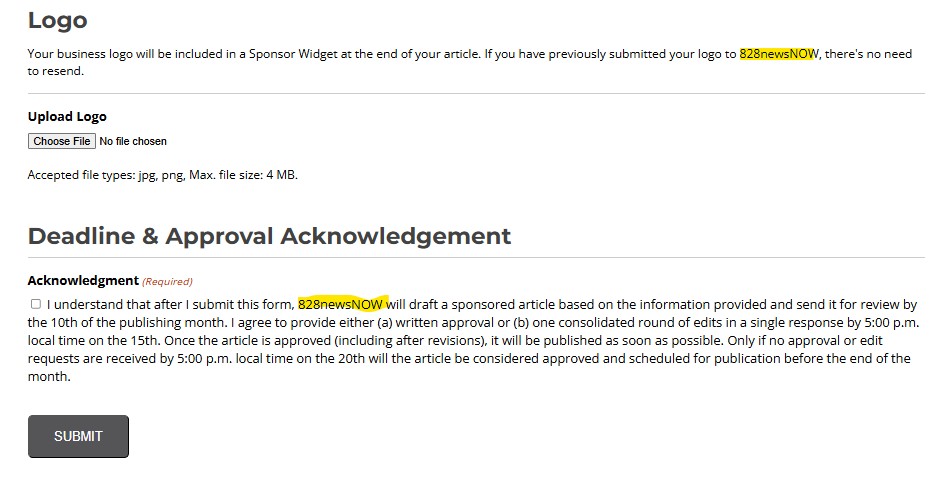
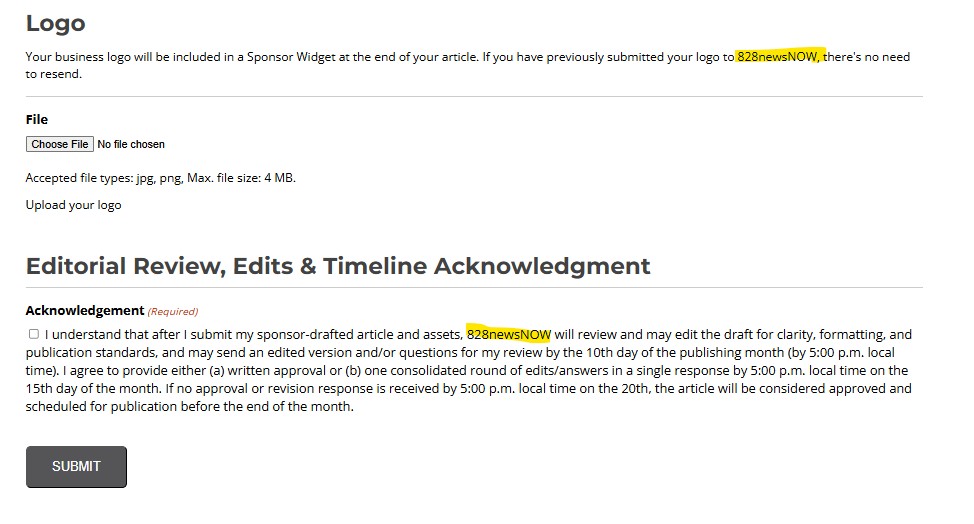
Use the screenshots below as a guide for the sections that require editing. Area that need changing are highlighted to help you find them.
The form only has one change and it is in the image sections.
The last change is at the bottom under logo and disclaimer.
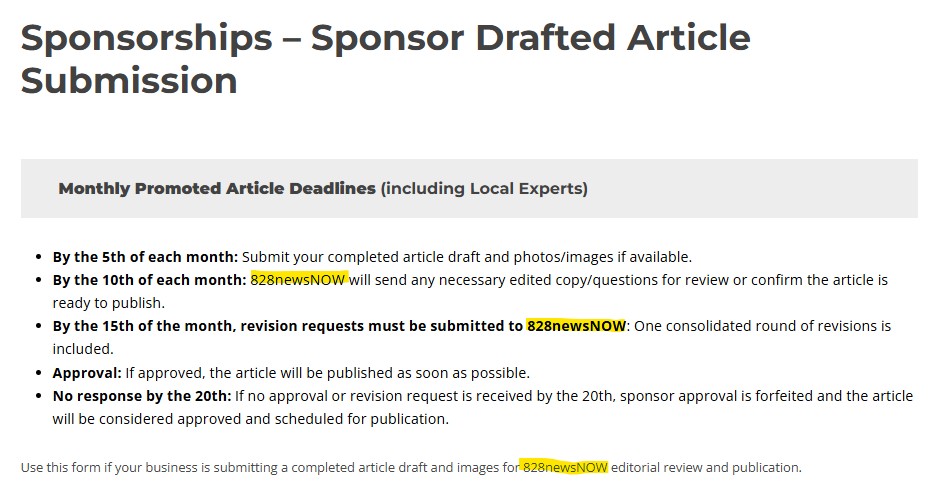
And then, in the form under Images.
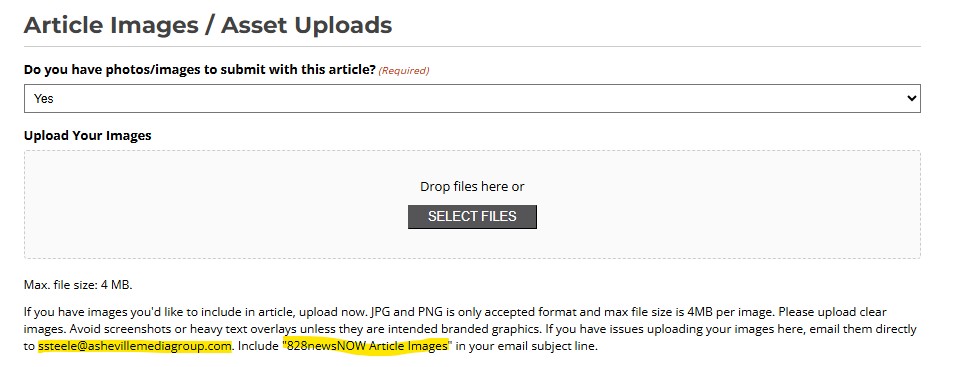
Then at the bottom under logo and the disclaimer.
There are no changes to the Sponsorships- Custom Widget Submission form.
Step 3: Review Navigation Links
The pages have already been linked together, but you should verify that:
- All buttons work correctly
- Links point to the correct pages
- Forms open properly
- Navigation flows as expected
Test each page from a user perspective before sharing the link with your sales team.
Step 4: Update Form Notification Emails
The forms are already built, but you must update who receives the submissions.
To Update Form Notifications:
- In the WordPress Dashboard, click Forms.
- Open each sponsorship form.
- Navigate to the Notifications section.
- Update the recipient email addresses.
Insert Screenshot Here
Recommended Recipients
To ensure submissions are not missed, add multiple recipients whenever possible.
Suggested recipients include:
- Editor
- Sales Manager
- Anyone who would be responsible for creating content
Having more than one recipient provides backup coverage when someone is out of the office.
Step 5: Test the Forms
Before launching:
- Complete a test submission for each form.
- Verify that all confirmation messages display correctly.
- Confirm that notification emails are received by all designated recipients.
- Check that any uploaded files arrive properly.
Step 6: Share the Submission Portal
Once everything has been updated and tested:
- Copy the URL for the Sponsor Asset Submission Portal page.
- Share the link with your sales team.
- Encourage sales representatives to provide the portal link directly to advertisers and sponsors when collecting assets and content.
This process helps standardize submissions, reduces email back-and-forth, and ensures all required information is collected before production begins.
Final Checklist
☐ Updated all four sponsorship pages
☐ Customized site-specific information
☐ Verified all page links and navigation
☐ Updated form notification recipients
☐ Added multiple email recipients
☐ Tested all forms
☐ Confirmed email notifications are working
☐ Shared the portal link with your sales team
Once completed, your market will be ready to receive sponsorship assets, article requests, custom widget requests, and sponsor-submitted content through a single streamlined process.